Driving Rogue Download PC – Complete Game Guide
If you are searching for Driving Rogue Download on PC, you are looking at a fast-paced arcade racing game built around short, unpredictable runs and constant score chasing. Developed by Gravity Works and published by Gravity Works and Cosmic Shift Studios, Driving Rogue blends high-speed driving with roguelike progression, procedural streets, vehicle upgrades, special abilities, and a card-based build system. The game launched for Windows on September 17, 2026.
Unlike traditional racing games that focus mainly on finishing a fixed circuit, Driving Rogue is designed around survival, momentum, risk, and personal high scores. You drift through traffic, perform dangerous near-misses, use slipstream opportunities, avoid hazards, and try to keep your run alive for as long as possible. The roads and challenges change between runs, meaning you cannot simply memorize a single route and repeat it.
The game also gives you reasons to return after every failed run. Earnings can be used to improve your ride and refine your build, while special cards and abilities create different approaches to scoring. As your run continues, hazards become more demanding and mistakes become increasingly costly. This combination gives Driving Rogue a strong arcade structure with roguelite replayability.
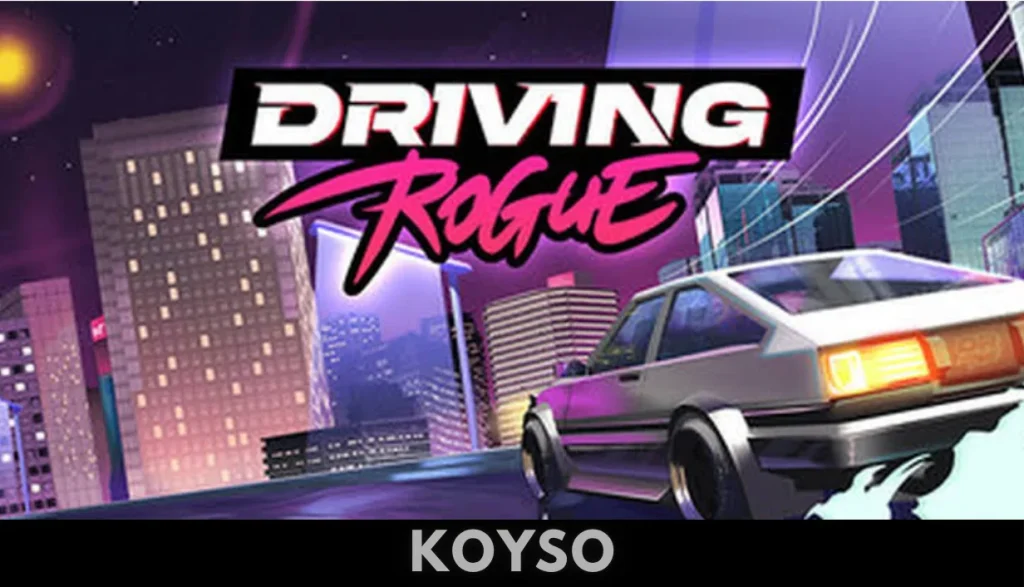
What Is Driving Rogue?
Driving Rogue is an arcade-style racing and driving game that mixes traditional score attack mechanics with roguelike systems. Its central objective is straightforward: survive the road, score as many points as possible, improve your setup, and attempt to beat your previous record.
The game is published under the Action, Casual, Indie, Racing, and Sports categories on Steam. It supports single-player and online co-op, along with Steam Achievements, Steam Cloud, and Steam Leaderboards.
The driving itself is focused on fast reactions rather than realistic simulation. You are expected to make quick decisions while moving through traffic and unpredictable road layouts. Drifting, dodging, slipstreaming, and chaining near-misses all contribute to the game’s score-focused design.
Every run can develop differently because the game uses procedurally generated streets and challenges. The changing environment encourages players to react to what is happening on the road rather than relying entirely on memorized racing lines.
Driving Rogue at a Glance
- Game: Driving Rogue
- Developer: Gravity Works
- Publisher: Gravity Works, Cosmic Shift Studios
- Release Date: September 17, 2026
- Platform: PC / Windows
- Genre: Action, Casual, Indie, Racing, Sports
- Modes: Single-player and Online Co-op
- Engine: Unity
- Controller Support: Full controller support
- Steam Achievements: 37
- Steam Features: Cloud Saves, Leaderboards, Achievements, Family Sharing
- Language: English
- PC Architecture: 64-bit
- Game Style: Arcade racing, roguelite, score attack, procedural driving
Driving Rogue Download for PC
Players looking for Driving Rogue Download PC should know that the game is officially available for Windows through Steam. The official PC release provides access to the complete game, while a separate free demo is also available for players who want to test the driving experience before purchasing.
The demo follows the same fundamental idea as the full game: survive as long as possible, make money from your performance, improve your vehicle, and push for a better run. It is useful for checking whether the fast arcade handling and score-chasing structure match your preferences.
For the full Driving Rogue experience, the official Steam version provides the complete game and its broader progression systems. Because the game relies on leaderboards and online features, using the official PC release also provides the intended connection to Steam’s online ecosystem.
Driving Rogue Gameplay
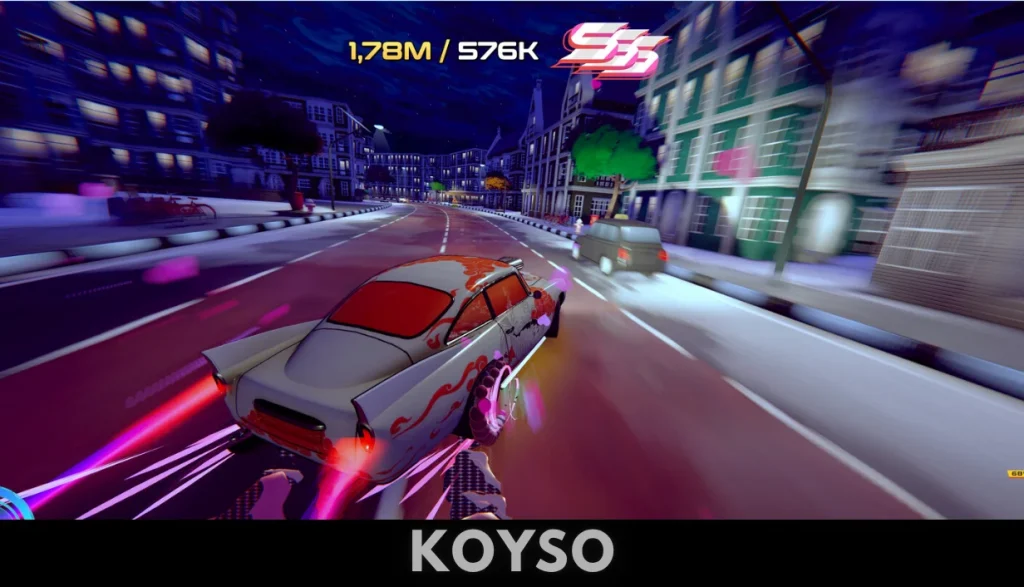
Driving Rogue is built around a simple but demanding gameplay loop. You start a run, get onto the road, avoid traffic and hazards, build your score, collect earnings, and attempt to continue for as long as possible.
The challenge increases as the run progresses. Faster situations and increasingly dangerous road conditions require better reactions. A successful run is not just about driving quickly. You need to understand when to take risks and when to protect your momentum.
Drift Through Traffic
Drifting is one of the main tools available to players. Instead of treating traffic as something that simply blocks your racing line, Driving Rogue encourages you to move around it aggressively.
A well-timed drift can help you:
- Maintain speed through difficult sections
- Avoid incoming traffic
- Create opportunities for near-misses
- Build larger combos
- Position your car for the next hazard
- Keep momentum during demanding sections
The arcade approach means the focus is on timing and control rather than realistic vehicle simulation.
Chain Near-Misses
Near-misses are another major part of the scoring system. Passing close to other vehicles creates risk, but successful execution can contribute to larger combinations and higher scores.
This creates a natural risk-versus-reward system.
Playing cautiously may help you survive longer, but taking carefully calculated risks can produce much bigger scores. The more confident you become with the game’s traffic patterns and controls, the more aggressively you can approach each run.
Use Slipstream Opportunities
Slipstreaming adds another layer to the driving system. Instead of simply overtaking every vehicle immediately, you can use traffic positioning to your advantage.
This makes road awareness important. You need to watch what is happening ahead while also thinking about where your car will be positioned a moment later.
At higher speeds, even small positioning errors can end a run.
Procedurally Generated Roads
One of Driving Rogue’s defining features is its procedural approach to roads and challenges. The city does not remain identical every time you play. Roads, traffic patterns, and challenges can change between runs.
This system gives the game a different structure from conventional racing games.
In a traditional circuit racer, learning the track is often a major part of mastering the game. In Driving Rogue, adaptation is more important. You need to understand the driving mechanics well enough to react to unfamiliar situations.

Why Procedural Generation Matters
Procedural generation supports the game’s replay-focused design in several ways:
- Runs can feel different from one another.
- Traffic situations can change.
- Players cannot depend completely on memorized routes.
- Every attempt presents new decisions.
- High-score attempts remain challenging after multiple sessions.
- Failure encourages another run rather than ending the experience permanently.
The result is a racing game that focuses less on learning one perfect track and more on developing overall driving skill.
Roguelite Progression in Driving Rogue
Driving Rogue uses roguelike and roguelite concepts to make every run part of a larger progression loop. The basic idea is to take what you earn from one attempt and use it to improve your chances during future attempts.
This gives the game an important difference from classic arcade racers.
A failed run does not necessarily feel meaningless because your earnings and improvements can contribute to future attempts. You can return to the road with a refined setup and attempt to push farther.
Run, Earn, Upgrade, Repeat
The central loop can be summarized as:
- Start a driving run.
- Navigate changing streets.
- Avoid traffic and hazards.
- Perform risky maneuvers.
- Build combos and score points.
- Survive as long as possible.
- Earn resources.
- Upgrade and customize your ride.
- Refine your build.
- Start another run and aim for a higher score.
This structure makes Driving Rogue particularly suited to short gaming sessions where you can complete several runs without committing to a long traditional campaign.
Card-Based Abilities and Build Variety
Driving Rogue adds a deckbuilding-inspired mechanic to its racing formula. Players can collect and combine special cards that provide different abilities and modifiers. This means your performance is influenced not only by driving skill but also by the build you create.
The card system gives each run another layer of decision-making.
Instead of simply improving the car’s basic statistics, you can experiment with combinations that support your preferred playstyle.
Building a Strong Setup
A useful build may focus on different aspects of a run, depending on the cards and upgrades available to you.
Possible approaches include:
- Focusing on safer survival
- Increasing score potential
- Supporting longer combos
- Improving aggressive driving
- Enhancing specific abilities
- Creating combinations that complement your vehicle
- Building around a particular high-score strategy
The important part is experimentation. A combination that works well in one situation may not necessarily be ideal for another run.
Customizable Cars
Driving Rogue includes a garage containing different cars, with vehicles offering their own handling characteristics and visual identity. The game also allows players to personalize their rides with vinyls.
This gives the garage more purpose than simply being a cosmetic menu.
Different cars can influence how comfortable you feel while handling traffic, drifting, and rapid direction changes. Finding a vehicle that matches your driving style can make a noticeable difference during difficult runs.
Vehicle Customization
Car customization gives players opportunities to personalize their experience through:
- Different vehicles
- Unique handling characteristics
- Visual customization
- Vinyls
- Upgrade systems
- Build-focused progression
The combination of vehicle choice and card-based abilities means there is more than one way to approach a high-score attempt.
Hazards, Traffic, and Weather Effects
The road becomes increasingly dangerous as you survive longer. Driving Rogue combines ordinary traffic with additional hazards, weather effects, and race modifiers.
These systems keep the road from becoming predictable.
A clean section of road can suddenly turn into a sequence of tight gaps, traffic movements, and unexpected turns. Because the game is designed around quick reactions, players need to remain focused even when a run has already lasted several minutes.
Why Mistakes Matter
Driving Rogue follows a high-risk arcade philosophy. One major mistake can end a run.
That makes every decision meaningful.
When your score is already high, you may be tempted to take additional risks to increase your combo. At the same time, pushing too aggressively can cause a crash and erase the opportunity to set a new record.
Learning when to take a risk becomes part of mastering the game.
High Scores and Leaderboards
Driving Rogue is designed around score chasing. Instead of completing the game once and moving on, you can continue working toward higher personal scores and leaderboard positions. Steam lists leaderboards as one of the game’s features.
This makes the game particularly appealing to competitive arcade players.
A good run can become a personal benchmark. You can then try to improve it by:
- Surviving longer
- Creating larger combos
- Taking smarter near-misses
- Choosing better upgrades
- Refining your card setup
- Improving your vehicle control
- Reducing unnecessary crashes
The goal is not simply to finish a race. It is to make the run itself as efficient and valuable as possible.
Online Co-Op in Driving Rogue
Driving Rogue also supports online co-op, giving players another way to experience its fast arcade action. Steam lists online co-op alongside the single-player mode.
Co-op can change the feel of a score-focused driving game because you are no longer dealing with every challenge alone.
Playing with others can make the experience more social while retaining the game’s emphasis on fast decisions and road awareness.
For players who enjoy arcade games with friends, online co-op provides an alternative to purely solo score chasing.
Driving Rogue Controls and Handling
Fast arcade games depend heavily on responsive controls. Driving Rogue supports full controller functionality on Steam, which makes it suitable for players who prefer gamepads for racing and driving titles.
Keyboard controls are also relevant for PC players, and the game’s accessible arcade structure means you can focus on learning the movement rather than dealing with complicated simulation controls.
Tips for Better Control
New players should focus on a few basic habits:
- Avoid unnecessary steering movements.
- Learn how much space your vehicle needs.
- Start with safer overtakes.
- Practice drifting before attempting aggressive combos.
- Watch traffic several cars ahead.
- Avoid chasing a score when your position is unstable.
- Learn how your selected car responds at high speed.
- Use upgrades that support your preferred driving style.
Good control becomes increasingly important as the road gets faster and more crowded.
Driving Rogue Graphics and Visual Style
Driving Rogue uses a stylized arcade presentation rather than aiming for photorealistic racing simulation. The game combines colorful visuals with fast-moving roads, traffic, hazards, weather effects, and a strong arcade atmosphere.
External coverage has described the game as using neon-infused visuals and an old-school street-racing aesthetic.
The visual style complements the gameplay because the game needs to communicate traffic, road direction, hazards, and changing conditions quickly.
Visual Clarity During High-Speed Runs
At high speeds, visual clarity is especially important.
Players need to recognize:
- Incoming vehicles
- Open gaps
- Road direction
- Obstacles
- Traffic movement
- Weather conditions
- Changing road layouts
- Potential near-miss opportunities
A clear visual presentation helps keep the action readable even when several things happen simultaneously.
Driving Rogue Sound and Music
Audio plays an important role in maintaining the game’s fast arcade atmosphere. The developers have also made changes to the game’s music and audio during development, including the removal of tracks containing AI-generated voice lines and the use of instrumental versions while working with vocal talent for future tracks.
For an arcade driving game, music helps establish rhythm and momentum. Sound effects also provide useful feedback during drifting, traffic encounters, collisions, and other road events.
The combination of music, engine sounds, traffic effects, and visual speed helps reinforce the game’s quick-session structure.
Driving Rogue Difficulty
Driving Rogue is designed to test reflexes. The game becomes more intense as a run continues, and one mistake can bring the attempt to an end.
That difficulty is central to its replayability.
You are not expected to master everything immediately. Early runs help you learn how the cars behave, how traffic moves, how much risk you can safely take, and which upgrades fit your approach.
How to Improve at Driving Rogue
If you are struggling with early runs, try these strategies:
- Focus on survival before chasing huge scores.
- Learn the basic traffic patterns.
- Practice drifting in less dangerous situations.
- Avoid taking multiple risks at once.
- Upgrade your car consistently.
- Experiment with different cards.
- Try different vehicles.
- Study what caused each crash.
- Build confidence before attempting aggressive near-misses.
- Gradually increase the amount of risk you take.
The best improvement often comes from turning failed runs into information for the next attempt.
Driving Rogue Download PC System Requirements
The official Steam listing provides the following Windows requirements for Driving Rogue. The game requires a 64-bit processor and operating system.
Minimum System Requirements
- Operating System: Windows 10
- Processor: Intel i3-8100 / AMD Ryzen 3 2200G
- Memory: 8 GB RAM
- Graphics: Nvidia GTX 1050 / AMD RX580
- DirectX: Version 11
- Storage: 2 GB available space
- Sound Card: 9.0c compliant sound card
- Architecture: 64-bit processor and operating system
Recommended System Requirements
- Operating System: Windows 10/11
- Processor: Intel i5-8500 / AMD Ryzen 5 2600
- Memory: 16 GB RAM
- Graphics: Nvidia RTX 2060 / AMD RX 5060 XT
- DirectX: Version 11
- Storage: 4 GB available space
- Network: Broadband Internet connection
- Sound Card: 9.0c compliant sound card
- Architecture: 64-bit processor and operating system
The storage requirement is relatively small compared with many modern PC racing games. However, performance can still depend on factors such as your graphics settings, drivers, background applications, and overall system configuration.
How to Download Driving Rogue on PC
For a legitimate PC installation, Driving Rogue is available through Steam. The official listing provides the full game and also links to a separate free demo.
Basic Installation Process
- Install the Steam client on your Windows PC.
- Sign in to your Steam account.
- Search for Driving Rogue.
- Open the official game page.
- Purchase the full game if you want the complete version, or choose the demo if you want to test it first.
- Select the install option.
- Choose your storage location.
- Wait for the download and installation to finish.
- Launch Driving Rogue from your Steam library.
- Configure your controls and graphics before starting your first serious run.
Using the official store ensures that you receive the legitimate game files and future updates provided through the platform.
Driving Rogue Demo
A free demo is available separately on Steam. It was released earlier in 2026 and gives players an opportunity to experience the core arcade driving concept.
The demo focuses on the fundamental experience of surviving on changing roads, avoiding hazards, chaining near-misses, earning resources, and improving the vehicle.
Why Try the Demo?
The demo can be useful if you want to determine whether you enjoy:
- Fast arcade driving
- Roguelike progression
- Score-based gameplay
- Procedural roads
- High-risk near-misses
- Drifting
- Short repeatable runs
- Stylized racing visuals
Because Driving Rogue has a specific arcade structure, trying the demo can help you understand its gameplay before committing to the full version.
Driving Rogue vs Traditional Racing Games
Driving Rogue takes a different approach from conventional circuit racers.
Traditional racing games often focus on:
- Fixed tracks
- Lap times
- Championship progression
- Position-based races
- Vehicle simulation
- Structured events
Driving Rogue instead emphasizes:
- Procedurally generated roads
- Survival
- High scores
- Combos
- Near-misses
- Roguelite progression
- Card-based abilities
- Repeated runs
- Leaderboards
Neither approach needs to replace the other. Driving Rogue is aimed at players who enjoy the repeated challenge of improving a run rather than simply completing a predefined championship.
Why Driving Rogue Is Replayable
Replayability is one of the most important parts of the game’s design.
A traditional race can eventually become familiar because the track stays the same. Driving Rogue attempts to keep its challenge fresh through procedural streets, changing traffic, upgrades, modifiers, cards, and different vehicle options.
Every failed attempt can also teach you something.
You might discover that a particular card combination works well with a certain vehicle. Another run may reveal that a safer approach produces better long-term scores than constantly taking dangerous near-misses.
That creates a cycle where improvement comes from both mechanical skill and strategic decision-making.
Tips for Getting Higher Scores
If your goal is to climb the leaderboard, survival should be the foundation of your strategy.
1. Learn Before You Risk
Do not attempt the most dangerous maneuvers immediately. Learn how your car reacts and understand the road first.
2. Build Combos Carefully
Near-misses can contribute to large combos, but a combo is only valuable if you can maintain it without crashing.
3. Upgrade With a Plan
Do not choose improvements randomly. Think about whether an upgrade supports your driving style.
4. Experiment With Cards
Different card combinations can create different builds. Try multiple setups instead of relying on the first combination that works.
5. Watch the Road Ahead
Looking only at the vehicle immediately in front of you can leave you unprepared for the next traffic change.
6. Know When to Stop Taking Risks
A huge score can disappear after one unnecessary maneuver. Sometimes protecting your current run is the smarter decision.
Is Driving Rogue Worth Downloading on PC?
Driving Rogue is designed for a specific type of racing player: someone who enjoys fast arcade action, repeated attempts, score chasing, and roguelite progression.
Its combination of procedural roads, vehicle customization, card-based abilities, and leaderboards gives it a structure that differs from conventional racing games. Online co-op also provides an option for players who want to share the experience with others.
The official Steam listing currently describes the game as a fast-paced arcade experience where drifting, slipstreaming, near-misses, upgrades, abilities, and cards all contribute to the objective of building better runs and higher scores.
Players who prefer realistic simulation, long career modes, or traditional track racing may find the structure quite different from what they expect. On the other hand, anyone looking for short, repeatable arcade sessions with increasing difficulty has a clear reason to explore Driving Rogue.
Final Thoughts on Driving Rogue Download
Driving Rogue combines the immediacy of arcade racing with the repeatability of a roguelite. Instead of simply selecting a track and completing laps, you enter changing roads where every decision can affect how long your run survives.
Drifting, near-misses, traffic avoidance, procedural challenges, car upgrades, special cards, and score multipliers all contribute to a gameplay loop built around improvement. Every run gives you another opportunity to refine your technique and push your score higher.
The PC version is available for Windows through Steam, while a free demo gives players a way to test the core driving experience. The official requirements are also relatively accessible, with 8 GB RAM and a GTX 1050 or RX 580 listed for the minimum configuration.
If you enjoy arcade racing games where quick reactions matter and every run can become a new personal challenge, Driving Rogue Download provides a focused PC experience built around speed, risk, progression, and replayability.
Frequently Asked Questions
What is Driving Rogue?
Driving Rogue is an arcade racing game with roguelite progression, procedural roads, vehicle customization, card-based abilities, high-score challenges, and online co-op.
When was Driving Rogue released?
Driving Rogue was released for PC on September 17, 2026.
Who developed Driving Rogue?
Driving Rogue was developed by Gravity Works. It is published by Gravity Works and Cosmic Shift Studios.
Is Driving Rogue available on PC?
Yes. The game is available for Windows PC through Steam.
Does Driving Rogue have a demo?
Yes. A separate free Driving Rogue demo is available on Steam.
Does Driving Rogue support multiplayer?
Yes. The full game supports online co-op in addition to single-player gameplay.
Does Driving Rogue support controllers?
Yes. Steam lists full controller support for the game.
What type of racing game is Driving Rogue?
It is primarily an arcade racing and driving game with roguelite, procedural-generation, score-attack, and action-oriented elements.
How much storage does Driving Rogue require?
The Steam minimum requirement lists 2 GB of available storage, while the recommended configuration lists 4 GB.
Can I play Driving Rogue offline?
The game supports single-player, but the Steam listing also specifies broadband internet for the recommended configuration because of its online features. For the most reliable experience, check Steam’s current requirements and feature information before playing offline.