Get Evergarden free download via Koyso—your source for pre-installed PC games via high-speed direct links. Experience this adventure strategy game developed by Flippfly LLC, officially launched on August 16, 2018.
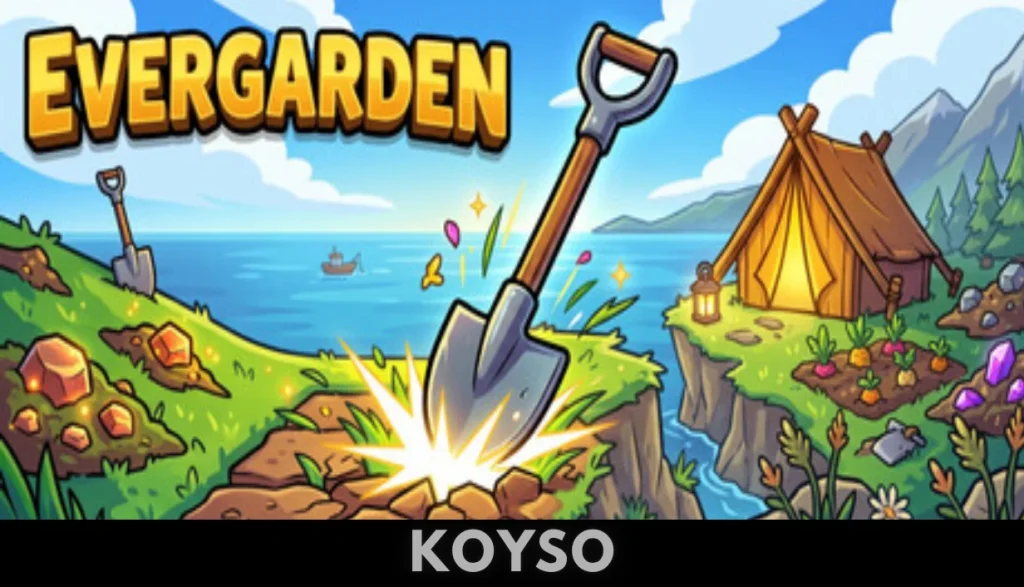
Evergarden Direct Download
Evergarden isn’t your usual puzzle game. It’s more like a quiet adventure, set in a mysterious forest where you mix magical plants to create rare forms, restore forgotten places, and stumble onto hidden secrets. The whole thing feels calm at first, but don’t be fooled—it packs a lot more depth than you’d expect.
You start on a puzzle board, merging plants to get bigger, more valuable growths. You’ve only got so many turns, so every move counts. It’s simple to pick up, but planning ahead and combining plants just right gets pretty addictive. The more you play, the deeper the strategy gets, and honestly, you can keep coming back for new challenges forever.

Step off the board and there’s this forest—handmade, full of little mysteries and environmental puzzles. A strange creature called Fen guides you around, and you use rewards earned from the puzzles to open new areas and uncover ancient songs. Each discovery brings a fresh twist to how you play.
If you stick to the adventure, there’s about 10 to 15 hours to explore and solve things. Or lose yourself in the puzzle mode, which never really ends. There are daily procedural challenges, competitive leaderboards, and always new ways to outdo yourself—or others.
With beautiful visuals, mellow music, and that satisfying “just one more turn” feeling, Evergarden is one of those games you can play to wind down or sharpen your mind. It’s peaceful, it’s clever, and every trip back to its enchanted woods feels fresh and rewarding.
System Requirements for Evergarden PC
| Component | Minimum | Recommended |
| OS | Windows 7 SP1+ / Windows 10 (64-bit) | Windows 10 / Windows 11 (64-bit) |
| Processor | SSE2 instruction set support | Intel Core i3 / AMD equivalent |
| Memory | 2048 MB RAM | 4096 MB RAM |
| Graphics | Graphics card with DX10 capabilities | NVIDIA GeForce GTX 750 / AMD equivalent |
| Storage | 150 MB available space | 150 MB available space |
Why You Should Play Evergarden?
If you enjoy relaxing tile-matching mechanics, mystical environmental exploration, or atmospheric puzzle games like Lara Croft GO, this release is an interesting option to consider. Developed by Flippfly LLC, the game takes place in the tranquil heart of a mysterious forest world. Your primary objective is to tend to a magical grid, merge growing flora into elaborate new shapes, and restore vitality to the surrounding wilderness. The exceptionally light 150-megabyte installation footprint ensures that setting up the game is incredibly fast on standard PC configurations.

The gameplay centers on grid-based plant merging, coordinate planning, turn-limit tracking, and environmental exploration. Guided by a helpful woodland creature named Fen, players must coordinate hexagonal tiles to combine lower-tier flowers into high-value blooms before running out of turns. Once you achieve high scores on the main puzzle board, you will earn glowing stones to solve physical puzzles outside the grid. This allows you to explore the wider forest, unlock magical “songs” that introduce deep-scaling board mechanics, and play daily procedural challenges to test your strategic foresight on global leaderboards.
Final Verdict on Evergarden
Evergarden is a beautiful, highly engaging, and satisfyingly tranquil puzzle game. Its successful blend of accessible tile-merging mechanics, deep tactical progression, and a calming narrative atmosphere offers a rewarding loop for casual players and hardcore puzzle enthusiasts alike. For gamers looking for a lightweight, deeply rewarding indie title that trades standard grid anxiety for a highly relaxing, meditative experience, this release is highly recommended.
FAQs
Is Evergarden free to download?
Yes, the fully unlocked version is available as a free download from Koyso.
Can I play Evergarden offline?
Yes. Once installed on your PC, you can merge your flora, solve forest monolith puzzles, and explore the narrative campaign completely offline without requiring an active internet connection. Please note that global leaderboard updates require a network connection.
What is the core gameplay style?
The game features 3D top-down puzzle, strategy, and exploration gameplay. Players place and combine flowers on a hexagonal board under turn limits, solve external environment mechanisms, and decode mysterious songs to restore a fantastical forest.