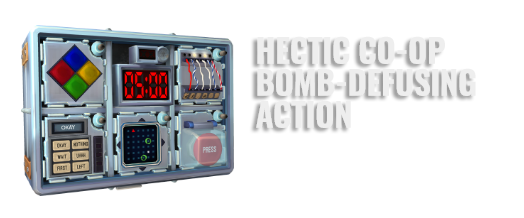
You’re alone in a room with a bomb. Your friends, the “Experts”, have the manual needed to defuse it. But there’s a catch: the Experts can’t see the bomb, so everyone will need to talk it out – fast!
Put your puzzle-solving and communication skills to the test as you and your friends race to defuse bombs while attempting to communicate quickly before time runs out!
Rounds are fast-paced, tense, occasionally silly, and almost always loud.
Whether it’s defusing a bomb or deciphering information from the manual, everyone has a crucial role to play.


A local co-op party game for two or more players
While usually played in person together, you can play remotely using your favorite third-party voice chat service.
Play a different bomb every time
Procedurally generated puzzles keep the action fresh.
Only one copy of the game needed
Have friends join in as Experts by printing or viewing the free Bomb Defusal Manual at
Explore Mission and Free Play Modes
Missions increase in difficulty as players face new modules. Unlock Freeplay Mode to set the pace by configuring your own custom bombs.
Supports mods
Try new community-made modules, missions, and more from the Steam Workshop!
Supports VR
Enter an unmatched immersive experience, isolated from your Experts. Swap out between rounds and share the experience with your friends!