Word Play Direct Download
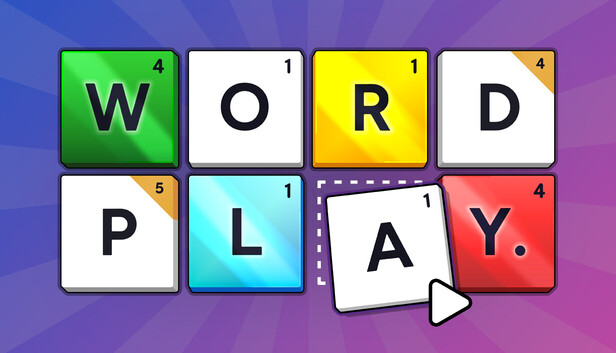
Word Play is a brain-busting spelling game about making words, getting perks, and scoring big.
Imagine your favourite word game – but where you get to change the rules and the tiles as you play!
How to Play
Spelling
Click, drag, or type to spell the best and biggest words you can find.
Scoring
Score points based on the value of each letter, and the length of the word.
Perks
Score enough points to clear the round and you’ll get a chance to pick from more than 150 perks!
Playing with Perks
Modifiers
Modifiers change the rules of the game, in your favour. Add more tile spaces, build Bonus Points, make Q tiles become QU tiles, and more.
Upgrades
Upgrades let you improve, destroy, discard, or duplicate tiles.
Gifts
Gifts add new tiles to your letter bag. Like wildcards, mirror tiles, and the legendary + tile.
Special Tiles
Upgrade tiles to special forms like Golden, Diamond, Emerald, and Potion, to score more points.
Score Big!
Synergies and Strategies
Combine modifiers, upgrades, gifts, and special tiles in clever ways to score big!
Difficulty and Modes
Special Rounds
Watch out for devious Special Rounds that require perfect play.
Roguelike Structure
Can you reach the end of the game without running out of “Plays”? Or will you have to start again from scratch?
Difficulty Settings
Learn the ropes with Easy mode, then try Normal, Hard, Legendary, and Marathon modes.
Casual Mode
Play with fewer strategic elements in Quick Play – just spell words and try to win medals!
Other Features
Accessibility Features
Play with mouse, keyboard, or controller. Use dyslexic fonts and / or high contrast mode. Get spelling suggestions. And more.
Steam Achievements and Steam Cloud
Unlock more than 20 achievements. Sync your save games across devices using Steam Cloud.
Steam Deck Verified
Play with gamepad controls, or fluid touchscreen input. Graphics and options are tweaked and tuned for the Steam Deck.
Custom Dictionaries
Use experimental modding features to import custom dictionaries in different languages. (Note: in-game text will remain in English. Game is only balanced for English words).
Coming Soon
Word Play will be an evolving game – with more modes (including Daily Challenge and Time Attack), more perks, and more ways to play coming in future updates.


