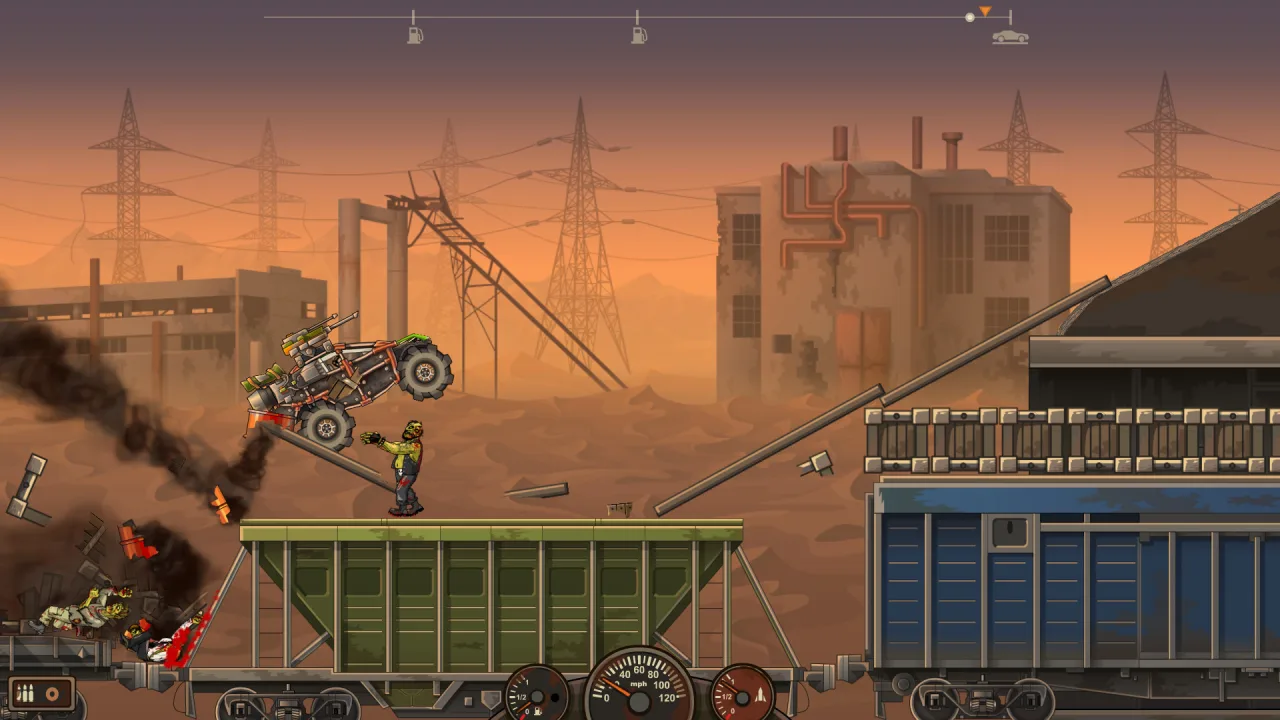
This is the sequel to Toffee Games' well-received 2D racing flash arcade game. The car is shown from the side, and you can't turn, so you have to drive straight through the zombies. That said, you can clear the way ahead of time by mounting some kind of gun on your ride. In fact, Earn to Die 2 has more guns than the first game, and more of everything else too: cars, parts, missions...
The original was set in a desert, while Earn to Die 2 takes you into an urban, industrial environment. So now, along with the zombies, plenty of crates, supports and bridges go flying... On top of that, your car takes damage as well. Thanks to ragdoll physics, the effects look impressive. The controls still come down to two buttons, but a zombie-hunting driver still needs real skill.
Earn to Die 2 features:
- Full HD graphics at 60 frames per second. Ragdoll physics, meaning zombies get tossed around like rag dolls.
- A garage with 10 cars, including a police car, a supercar and a vending van. You can tune and arm any model in lots of different ways.
- Now your car gets hurt too: it crumbles and falls apart. After each mission it is repaired automatically without any input from you, so you can head straight out on a new hunt!
- This game's setting is urban and industrial. You drive across shipping containers, bridges, tunnels... Every road here is packed with obstacles.


0 Comments